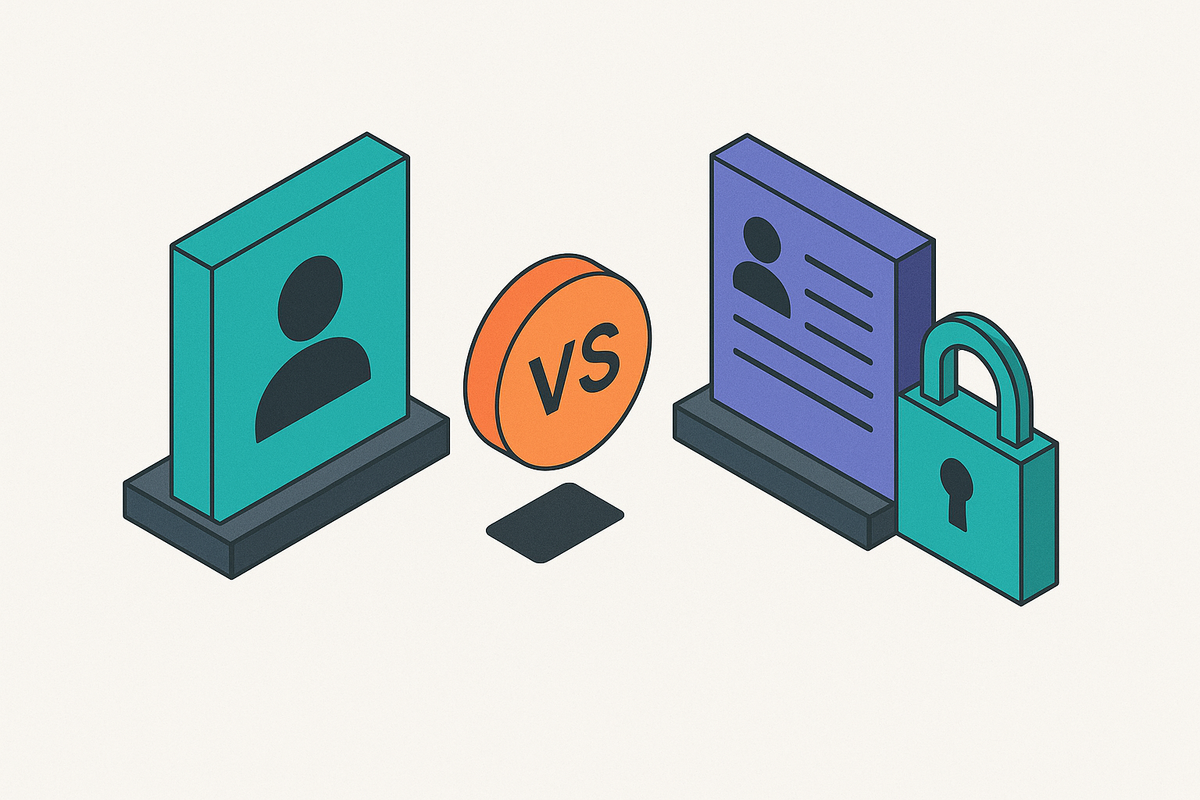
Organization and Team Membership Data Models for B2B SaaS
Build your database around organizations, not users, or spend year two migrating live data.
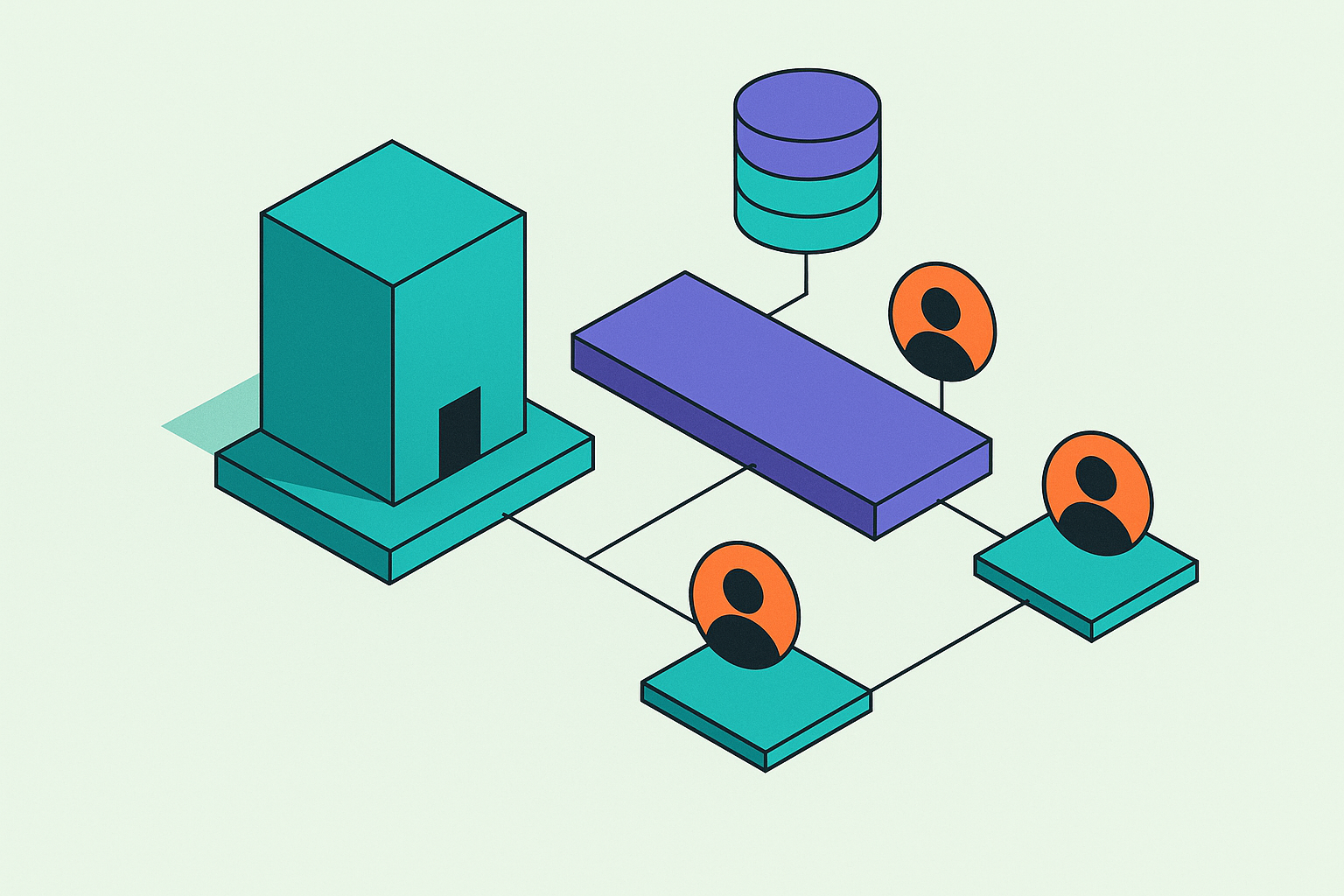
Every B2B SaaS product eventually runs into the same question: what's the actual unit of your business, the company or the person clicking around inside it? Get that wrong in your schema, and you'll spend a chunk of year two migrating live customer data instead of shipping anything new. This is about the decisions that answer that question, mostly the organization entity, the membership table, and the small design calls that either scale or blow up the first time a real enterprise buyer shows up.
Here's the pattern almost everyone repeats. You build your auth model like every customer is one person. Users table, sessions, a password hash, maybe an OAuth token. Works great for a demo. Then someone in sales says "hey, this customer wants to add their whole team," and you bolt a team_id column onto tables that were never built to hold one. Permission checks get sprinkled into middleware wherever they fit. Billing stays attached to whoever signed up first, usually the founder who forgot they were still the billing contact eighteen months later.
That holds up fine until a mid-market prospect asks for SSO, or audit logs, or seat-based pricing. Then you realize none of it bolts onto a schema built for individuals. Most tutorials and identity tools teach user-as-root-entity, everything else hangs off it, because that's how consumer apps work. B2B works on a different premise, with the company as the root and the person as a visitor within it.
The organization as the foundational unit of a B2B SaaS data model
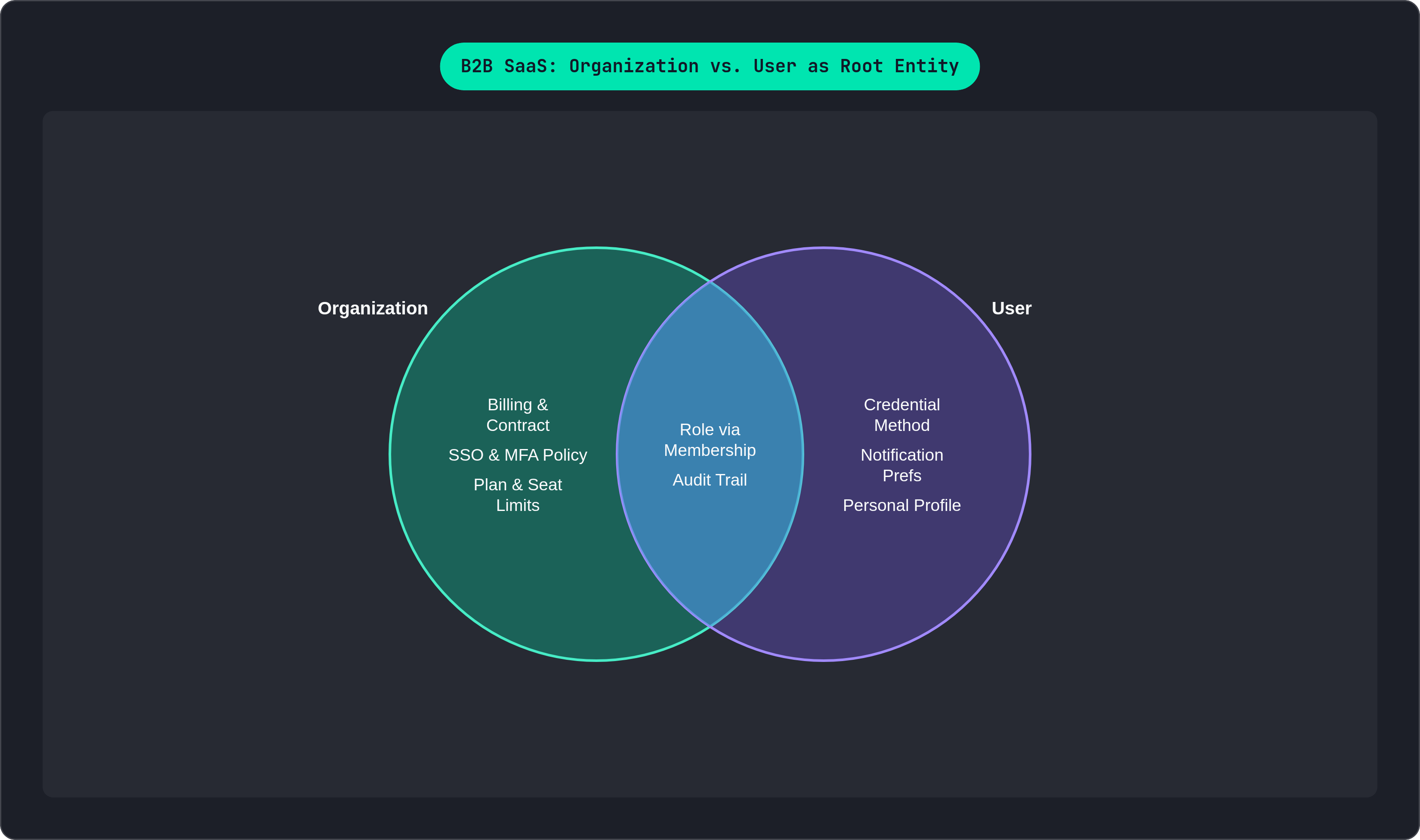
An organization is a container. It's your actual customer: the company, the team, the workspace, whatever word your product uses for it. The contract lives here. Billing lives here. Configuration and policy live here. Users don't own any of that. They belong to it, and sometimes to more than one at a time.
Put SSO configuration, MFA policy, plan tier, branding, and audit log retention on the organization. Put personal profile info, notification preferences, and credential method on the user. An IT admin at a 400-person customer expects to set MFA policy once, for everyone, without touching individual accounts one by one. Put that setting on the user record instead, and you're asking someone to update it 400 times by hand. Nobody's doing that, and if they are, they're quitting soon.
This is also why identity tools built for consumer apps feel clumsy the second you bolt an "organizations" feature onto them. Settings that felt global, theme, language, notification defaults, turn out to be org-scoped the moment you're selling to companies instead of individuals. Retrofitting that distinction after launch is roughly as fun as jacking up a house to redo the foundation while people are still living in it.
Minimum viable organization record: id, name, slug, plan, created_at, and a settings field, either JSON or its own related table depending on how much you plan to extend it. The slug deserves its own paragraph, because it's the field everyone forgets to think about and then regrets. It anchors your URL routing (app.yourproduct.com/acme/dashboard), and once a customer bookmarks that link or drops it in a Slack channel, changing it turns into a support ticket generator. Decide the slug design early. Don't let it be editable without real friction in the way.
Single-workspace vs. multi-workspace models and when each makes sense
Single-workspace means each user belongs to exactly one organization. It's the simpler model, full stop. Joins are simpler, permission checks are simpler, billing is simpler, because there's zero ambiguity about which company a session belongs to. This fits internal tools, employee-facing products, and vertical SaaS where a user's context never changes. Slack's original design is the textbook case: your account is scoped to a workspace, and SSO access is limited per workspace.
Multi-workspace means a user can sit inside several organizations at once, potentially with a different role in each. Figma and Notion are the obvious examples, where you might run your own personal workspace and also sit inside three client workspaces as a guest. This model needs a session concept that tracks which org is "active" right now, and your membership table stops being a nice-to-have relationship. It becomes the join that scopes basically every query in the system.
So how do you actually decide? Ask if users will ever switch between customer accounts inside one session. Ask if you're selling to companies, or to individuals who happen to collaborate with other individuals. Ask if the same person could plausibly hold different roles at different orgs, since the agency-managing-multiple-clients pattern shows up more than people expect.
If there's any real doubt, build multi-workspace. Constraining a multi-workspace system down into single-workspace behavior is a couple hours of application logic. Going the other way, unwinding a single-workspace assumption baked into three years of tables and queries, is a project that eats an entire quarter and half your team's patience.
Designing the membership table as a first-class schema object
The laziest fix, an org_id column tacked directly onto the users table, works right up until one person needs two different roles in two different orgs. Then it snaps. It also falls apart the moment you need metadata about the relationship itself: when did this person join, who invited them, when were they last active in this specific org, what seat type do they hold here.
Treat membership as its own entity instead of a foreign key sitting on the user. Core fields: id, userid, orgid, role, status (active, suspended, invited), createdat, invitedbyuserid. Add a composite unique constraint on (userid, orgid) so nobody ends up with two overlapping rows for the same org. That's the kind of bug that hides for months until your seat count is off by one and finance wants an explanation you don't have.
The status field does more work than it looks like. It lets you suspend a member, freezing access, without deleting the row and snapping every foreign key that points at it elsewhere in the schema. Delete-then-recreate wrecks your audit trail. A status flip is one line in a migration.
invitedbyuser_id seems like a small nicety, but it's load-bearing for three things you'll care about later. It's your audit trail, proof of who granted access rather than a record that access just exists. It's SOC 2 evidence, since auditors want to see explicit grants, not access that "accumulated" over time. And it's genuinely useful for churn analysis: members invited by a power user behave differently than someone who self-served their way in off a signup form.
Seat counting belongs on this table, not on the user record, and it's worth stating plainly because the alternative causes real problems. When billing asks how many active seats an org has, the membership table is the query, full stop. Index orgid for tenant-scoped lookups and userid for cross-org queries like a workspace switcher, and you've covered the two access patterns you'll hit constantly.
Modeling roles at the membership level rather than the user level
A role column on the users table looks reasonable for about six months. It only works if every user has the exact same role in every org they touch, which holds up right until an agency admin, who's an owner in their own workspace, shows up as a viewer in a client's workspace. Now your schema has no way to represent that person twice, and you're stuck.
Role is a property of the relationship, not the person. It lives on the membership record, and every membership needs one, with a sane default (usually "member") instead of null and a prayer that nothing downstream chokes on it.
A role hierarchy that covers most B2B products at launch:
- Owner: full access, controls billing, can delete the org
- Admin: manages settings and members, can't delete the org or transfer ownership
- Member: uses the core product, can't manage other users
- Viewer / Guest: read-only or narrowly scoped access, for stakeholders who need visibility but shouldn't touch anything
An enum is fine here, genuinely, and it's what most products should start with. The moment a mid-market customer asks to define custom roles of their own, the enum stops being enough, and you need a dedicated roles table joined to a permissions table. Wrap your permission-checking logic in a layer you can swap out later, instead of hard-coding role strings all over the codebase where if role == "admin" shows up in fourteen different files.
That's basically the RBAC versus ABAC question in miniature. Role-based access control (permissions derived straight from the role on the membership) is simpler, easier to audit, and enough for most SaaS products on the market. Attribute-based access control checks permissions against context: department, region, resource ownership. You need it once enterprise rules get specific enough that RBAC would require inventing a new role for every edge case, a pattern people call role explosion, and it's exactly as unpleasant as it sounds. Start with RBAC. Add ABAC only when a specific customer requirement forces your hand, not because it sounds smarter on a whiteboard.
Handling invitations as a distinct state in the membership lifecycle
An invitation is not a membership. Treating it like one causes real damage, because an invited person doesn't have a userid yet; they don't have an account yet. Stuff a pending invite into the membership table with a null userid, and you've corrupted your seat counting along with the referential integrity of half your schema, usually discovered mid-billing-audit at the worst possible time.
Give invitations their own table: id, orgid, email, role (granted on acceptance), token (hashed, never stored in plaintext), invitedbyuserid, expiresat, acceptedat, status (pending, accepted, revoked, expired).
The happy path is simple. Someone clicks the link, logs in or creates an account, and the invitation converts into a real membership row. The edge cases are where it gets interesting, and they will happen, usually on a Friday afternoon. What if the invitee already has an account under a different email, does the system require an exact match, or let them claim the invite under whatever account they're logged in as? What happens when an admin revokes an invitation that's already been accepted, does that touch just the invite row, or does it need to reach into the membership and suspend it too? And when a token expires, resist the urge to quietly auto-extend it. Force a new invitation instead. A little friction here keeps your audit trail honest.
Treat the token like a password reset token, not a session token: generate it with a cryptographically secure random source, store only the hash, expire it fast (48 to 72 hours is the usual window). And don't forget pending invitations typically count against seat quotas, otherwise an admin sends fifty invites against a ten-seat plan and hits a wall of confused Slack messages once people start accepting. Surface that count in the admin UI clearly, so nobody's staring at "you're full" when only six people have actually logged in.
Multi-tenancy at the data layer and what it means for query design
Most SaaS products run on shared infrastructure: one database, one application layer, tenants kept apart purely by org_id scoping on every query. It's cheaper, operationally simpler, and handles the overwhelming majority of real workloads just fine.
The discipline this demands is unglamorous and absolute. Every tenant-scoped query needs WHERE org_id = ?, no exceptions, ever. Miss it on one endpoint and one tenant ends up looking straight at another tenant's records, which is a breach rather than a bug. PostgreSQL's row-level security is worth turning on as a second line of defense here, enforcing org scoping inside the database itself instead of trusting every engineer to remember the WHERE clause for the rest of time.
AI features raise the stakes further. A RAG pipeline built on a shared vector index has to be tenant-aware from the moment a document gets written, not just at query time. If Customer B's question can pull back Customer A's documents because the tenant filter got treated as an afterthought, that's a breach with a search bar bolted in front of it. Tenant ID goes into the index at write time and gets enforced as a hard filter at retrieval. No exceptions for convenience, ever, even when the demo deadline is tomorrow.
Some customers won't accept shared infrastructure at all. Healthcare, finance, and government buyers often require dedicated infrastructure per customer, which is a go-to-market and deployment decision more than a schema one. Your organization model stays the same either way; it just gets deployed once per customer instead of shared across all of them. The schema implication holds regardless: every table holding tenant data needs a non-nullable org_id foreign key, with the organization table as the anchor that makes the whole thing enforceable instead of aspirational.
Connecting the org model to billing seats and plan enforcement
Billing belongs on the organization, not the user, because the contract is with the company. Attach billing to a person instead, and things fall apart the day that person changes roles or leaves, and suddenly nobody on your team can find the invoice, let alone explain it to finance.
Seat-based billing falls directly out of the membership table you already built. Seat count is a query: active memberships, filtered by org_id, nothing fancier than that. Enforce the seat limit at the moment an invitation converts into a membership, checking the org's plan cap before letting that conversion happen, and count pending invitations in that check too. Skip that step and admins over-provision before anyone's even accepted.
Usage-based billing works the same way conceptually. The org is the unit you're measuring against, whether you're billing on API calls, AI token consumption, or storage. Every usage event needs to carry org_id from the moment it's captured, not stitched on later during a batch job somebody forgot to schedule. This keeps auth, membership, and usage data unified under one org identifier, which matters less for tidiness than for making sure your invoices are correct at the end of the month.
Split those systems apart, auth here, billing there, usage events somewhere else entirely, and you get drift. A membership gets revoked in the auth system, but billing doesn't hear about it until the next cycle. A usage event fires with no org_id because whatever service emitted it never got the memo. None of this is exotic. It's the direct, boring, entirely predictable result of not deciding, on day one, that the organization is the thing your whole schema orbits around.