How Claude Uses MCP Tools to Call SaaS Backend APIs
Claude translates user intent into structured API calls through a stateless protocol contract.
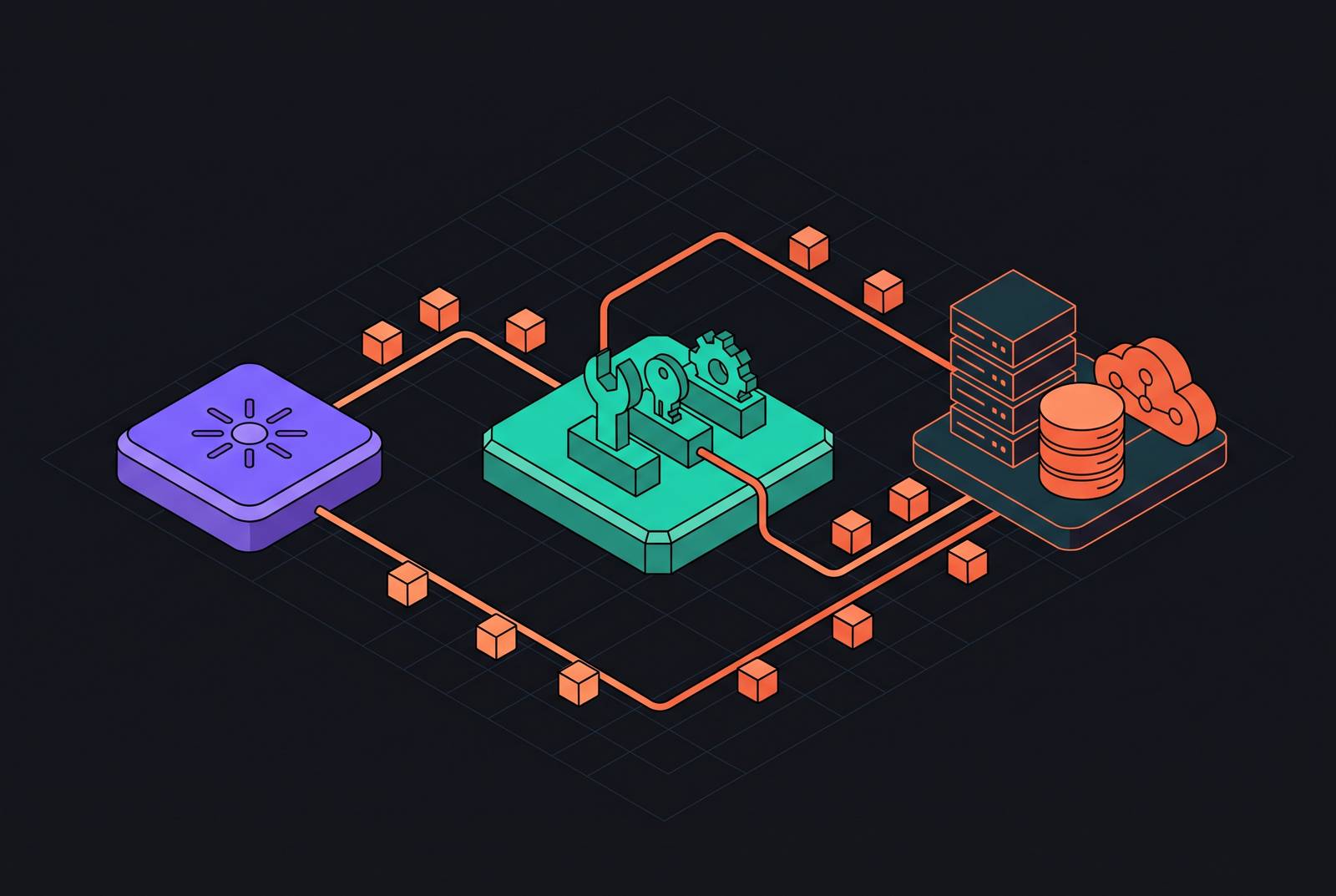
Claude uses MCP tools to call SaaS backend APIs through a defined sequence. It discovers tools, builds an invocation against a schema, and receives a structured result from the server. Wiring this up correctly means treating MCP as a translation contract, with the backend responsible for validation, credentials, API execution, and useful errors.
What MCP actually is and why it exists as a protocol
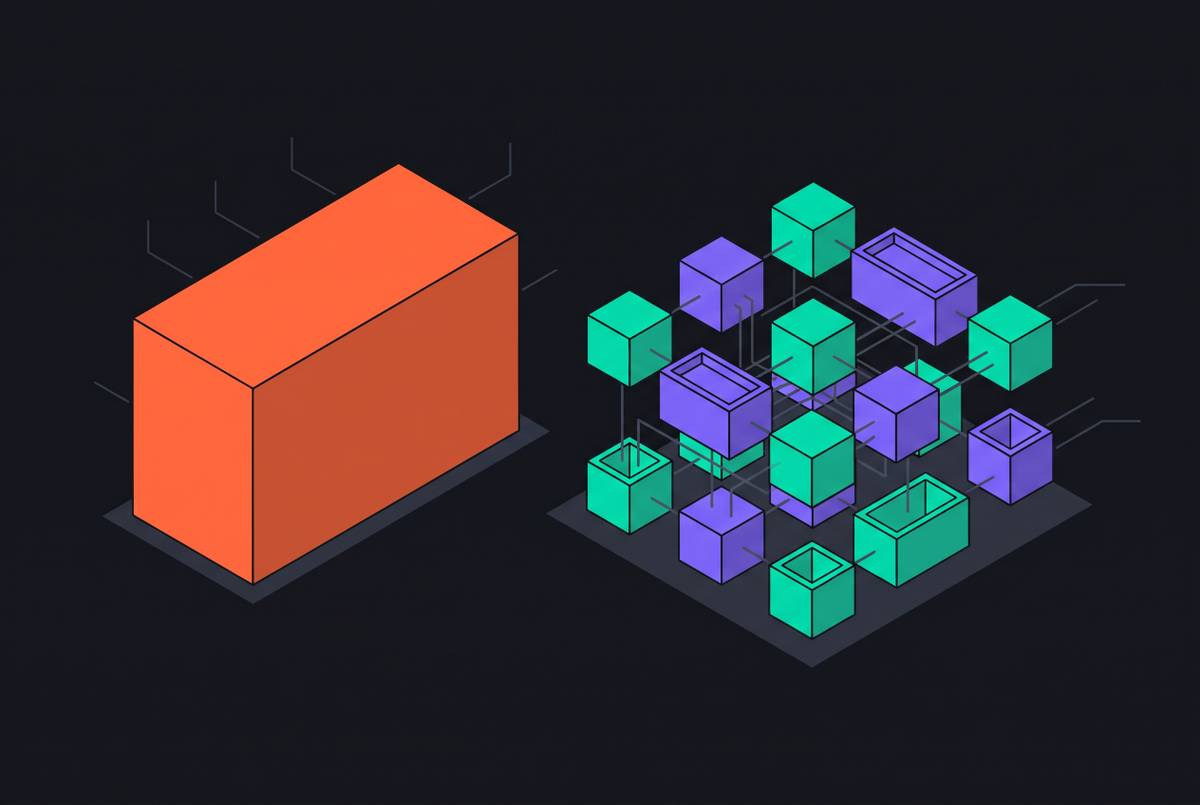
Before Model Context Protocol, connecting models to APIs meant writing bespoke glue for each pairing. With M models and N APIs, that meant M×N integrations to maintain. MCP changes the arrangement to M+N, because each model implements the client protocol once and each API implements the server protocol once. Everyone can use the same vocabulary, with no need for a growing drawer of adapters.
That vocabulary travels as JSON-RPC 2.0, a wire format that languages and runtimes can readily support. Boring is a feature in this particular job. An MCP server advertises available actions, accepts tool requests, translates them into backend operations, and returns structured results.
The transport layer Claude actually connects over
For a cloud-hosted SaaS backend, the right transport is Streamable HTTP. Claude’s MCP connector docs require a publicly reachable server whose URL starts with `, so plaintext HTTP is out. The connector also supports the legacy HTTP+SSE transport, but that path is deprecated in favour of Streamable HTTP. Older documentation is not a good reason to start with yesterday’s plumbing.
Stdio belongs to local desktop tools. Claude’s Messages API has no way to reach a stdio server directly. A locally working server therefore does not establish that the remote connector can use it. The tool definitions may be suitable while the transport is not.
Beyond reachability, the 2026-07-28 specification revision moves MCP toward a stateless request/response core rather than the previous bidirectional, session-dependent model. Each POST should be independently authenticatable and independently executable. That changes the server’s design while leaving the tool’s purpose unchanged. Keeping no session state between calls also makes horizontal scaling easier, because a call can run without a past exchange staying tied to one server.
How Claude discovers what a connected MCP server can do
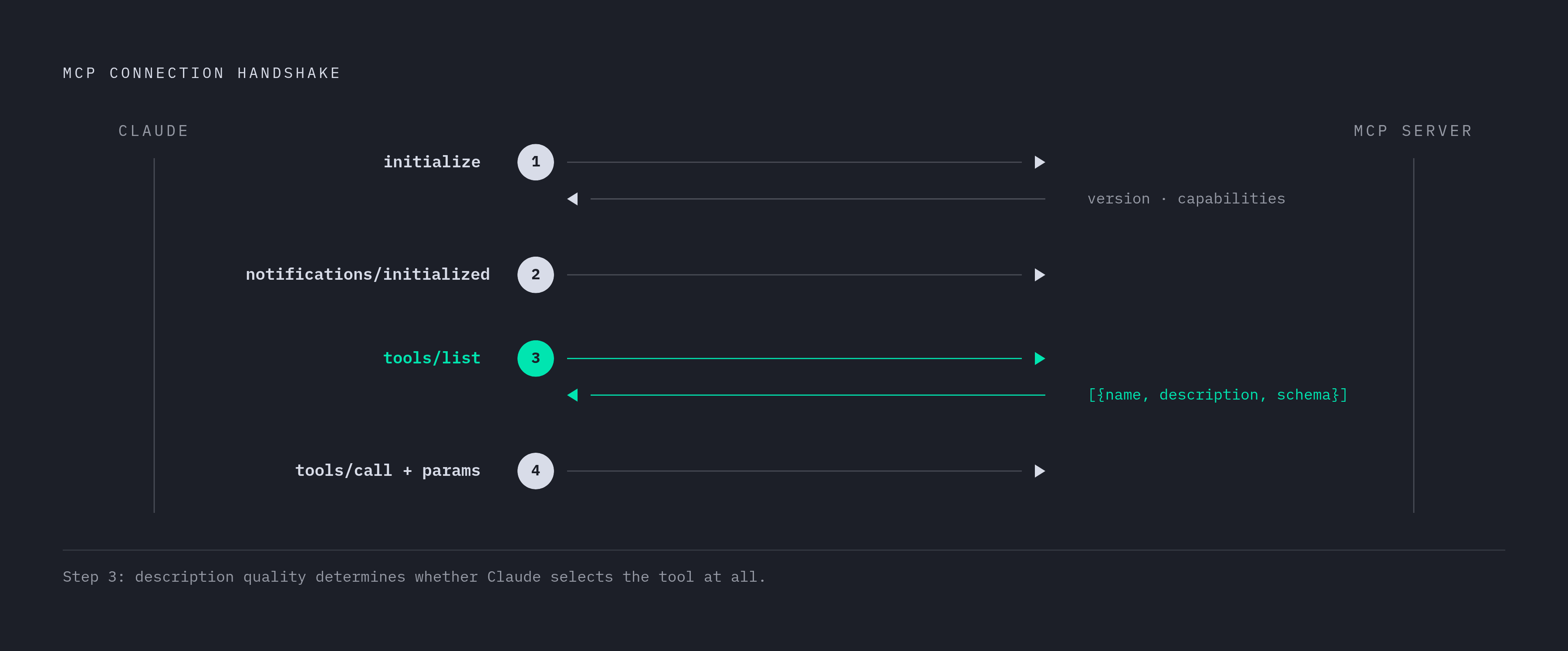
Claude begins the exchange with an initialize request, and the server returns its protocol version and declared capabilities. Claude then acknowledges with notifications/initialized.
Next, Claude sends tools/list, and the server returns an array of tool objects. Each object includes a name, a plain-language description, and a JSON Schema defining the expected arguments and their types. The description does real work here. A vague or missing description can cause Claude to overlook a useful tool because its relevance to the user’s request is unclear.
Claude’s connector docs distinguish between asking “how do Notion databases work?” and “what’s in my Projects database?” The first calls for general knowledge, while the second requires live data from the connected service. The capabilities the server advertises help Claude tell which kind of request it has.
Discovery also has a context cost when a SaaS API exposes many tools. Claude’s connector docs describe defer_loading, which keeps a tool’s description out of the initial context. They also specify that the mcp-client-2026-09-15 beta header allows an MCPToolset to accept a tools field containing a pinned copy of the server’s tool list. That keeps the definitions Claude gets the same even if the server changes its tools mid-conversation. Deferral controls initial context use, while pinning controls definition drift.
How Claude decides which tool to call and constructs the invocation
Claude matches the user’s intent against tool descriptions and schema signatures. The request can be explicit, such as “search Jira for open bugs”, or implicit, such as “what’s blocking the release?” with a Jira server attached. Both can justify a tool call. The developer’s system prompt also steers how readily Claude invokes tools, making prompt phrasing part of the integration.
Once Claude selects a tool, the schema becomes the decisive contract. Arguments go into the params.arguments field of the tools/call request as a JSON object. They do not sit at the top level of the request body. The schema received during discovery determines which fields are required and what types those fields must have.
This is where a tidy-looking integration can fail. If the advertised schema differs from what the upstream SaaS API expects, Claude can construct a valid MCP invocation that the server accepts but the API rejects. Transport makes the call possible, but neither transport nor persuasive descriptions can repair a faulty argument contract. A schema written for human readability and one written for Claude to invoke correctly are not necessarily the same document.
What happens during tools/call execution on the server side
When tools/call arrives, the server resolves the tool name, validates its arguments, and applies the relevant application logic. It then resolves the tenant credentials and constructs the upstream HTTP request. This is the server’s work, not Claude’s. The model gives the server arguments, and the server chooses which tenant’s credentials to use on the SaaS API call.
Four layers split up this work and keep protocol work apart from business work. The Interface layer handles JSON-RPC transport, and the Application layer handles routing and validation. The Domain layer holds business logic. The Infrastructure layer reaches the upstream SaaS system through drivers and adapters. In that arrangement, MCP translates an operation rather than becoming the place where every backend concern accumulates.
After the upstream operation, the server returns a JSON-RPC result containing the tool response. Claude uses that structured result in its next reasoning step or final answer. Failures need structure too, especially upstream rate limits. If the server swallows the error or returns only a generic failure, Claude cannot distinguish a temporary limit from a permanent problem and cannot retry appropriately. Separately, implementing the optional ping health check avoids compatibility trouble with clients that may drop an unresponsive server without a useful error.
Authentication between Claude and the MCP server
The MCP connection and the upstream SaaS connection are separate credential boundaries. Under the HTTP authorization specification, the MCP server is an OAuth resource server, and a separate authorization server gives out tokens. A request without a valid token receives a 401 challenge. The client then discovers the authorization server through Protected Resource Metadata and completes an authorization code flow with PKCE.
The resulting access token is scoped to the particular MCP server. The MCP specification requires Resource Indicators under RFC 8707 to prevent token mis-redemption. This token binding means a token issued for one server cannot be redeemed at another. PKCE protects the authorization flow, while resource binding protects where the token is meant to go. Those are distinct protections, not decorative acronyms attached to a Bearer token.
Claude’s connector docs expose authorization_token on the Messages API’s MCP server definition. Anthropic’s infrastructure sends that token as a Bearer token in the Authorization header on requests to the server. This does not mean Claude receives the upstream tenant’s OAuth tokens or API keys as tool arguments. Those credentials stay on the server side, where the upstream request is assembled.
For user-facing deployments, the recommended path is OAuth 2.1 with PKCE and Resource Indicators. OAuth 2.1 with Client ID Metadata Documents as the preferred registration method is supported natively by clients including Cursor, Claude Code, and Windsurf. Internal server-to-server use has a simpler alternative. API key authentication through a Bearer token can work where credential distribution is controlled, but every client then needs the credential. That distribution burden makes it a less suitable default for user-facing installations.
Controlling which tools Claude can see and call
Claude’s Messages API has MCPToolset settings that control access while leaving the server’s advertised catalogue as it is. Omitting per-tool configuration enables all advertised tools. An allowlist instead sets default_config to {"enabled": false} and explicitly enables named tools through configs. A denylist reverses the default to {"enabled": true} and disables particular tools.
The merge order decides which setting wins. Tool-specific entries in configs override default_config, which overrides system defaults. An override the developer did not expect can leave a tool available when the developer thought it was disabled. These settings are a practical least-privilege control at the connector layer that complements the server’s own authorization.
For most agent deployments, an allowlist is the safer place to start, especially when the backend has both read and write operations. Write tools should appear only when the workflow calls for them. A useful assistant need not come with a delete button. Multiple MCP servers can also be connected in one Messages API request, each with its own MCPToolset. That lets a session coordinate across a CRM server and a billing server while keeping their tool namespaces and exposure settings separate.
Where a unified backend fits into this architecture
MCP belongs above the backend’s core integration layer. User synchronization, billing events, and webhook processing run through direct API integrations, while MCP serves workflows an agent initiates in response to user intent. High-throughput event ingestion and background jobs do not belong behind a model’s decision to call a tool. The model is not a cron scheduler with better manners.
That boundary works best when the backend already has consistent state. If authentication, customer records, billing state, and usage events live together, the MCP server has one source of truth to translate from. Fragmented systems create a different job. The server can end up synchronizing disconnected tools before it can answer a request, taking on infrastructure work that does not belong in the protocol layer. A unified backend combining authentication, payments, a customer database, and usage analytics reduces that stitching.
An emerging pattern in 2026 has one agent call another through MCP as though it were a tool server, although dedicated protocols such as Google’s A2A are the standard for the coordination layer. An orchestrator that uses billing and user-management sub-agents needs both to read consistent state. A well-formed protocol exchange cannot make conflicting backend records agree.
The practical checklist for wiring a SaaS backend to Claude correctly the first time
Deploy the remote endpoint over Streamable HTTP with HTTPS. Implement initialize, notifications/initialized, tools/list, and tools/call. Add ping for compatibility with clients that use it.
Write schemas for invocation, with required fields and clear type constraints that match the upstream API. Give each tool a description that says when to use it and when not to. For user-facing access, implement OAuth 2.1 with PKCE and Resource Indicators. Reserve Bearer API keys for controlled internal server-to-server access.
Return structured JSON-RPC error responses for upstream failures, including rate limits. Do not hide failures behind generic 500s. Default production tool exposure to an allowlist through default_config and configs, enabling write tools only when required. Keep each request independently authenticatable and executable, without session state stored between calls. Finally, decide whether the backend already supplies consistent customer, billing, authentication, and usage state, or whether the MCP server is being asked to do the infrastructure’s job.