Home Realm Discovery implementations across B2B auth providers
Four auth platforms solve Home Realm Discovery differently based on where routing logic lives.
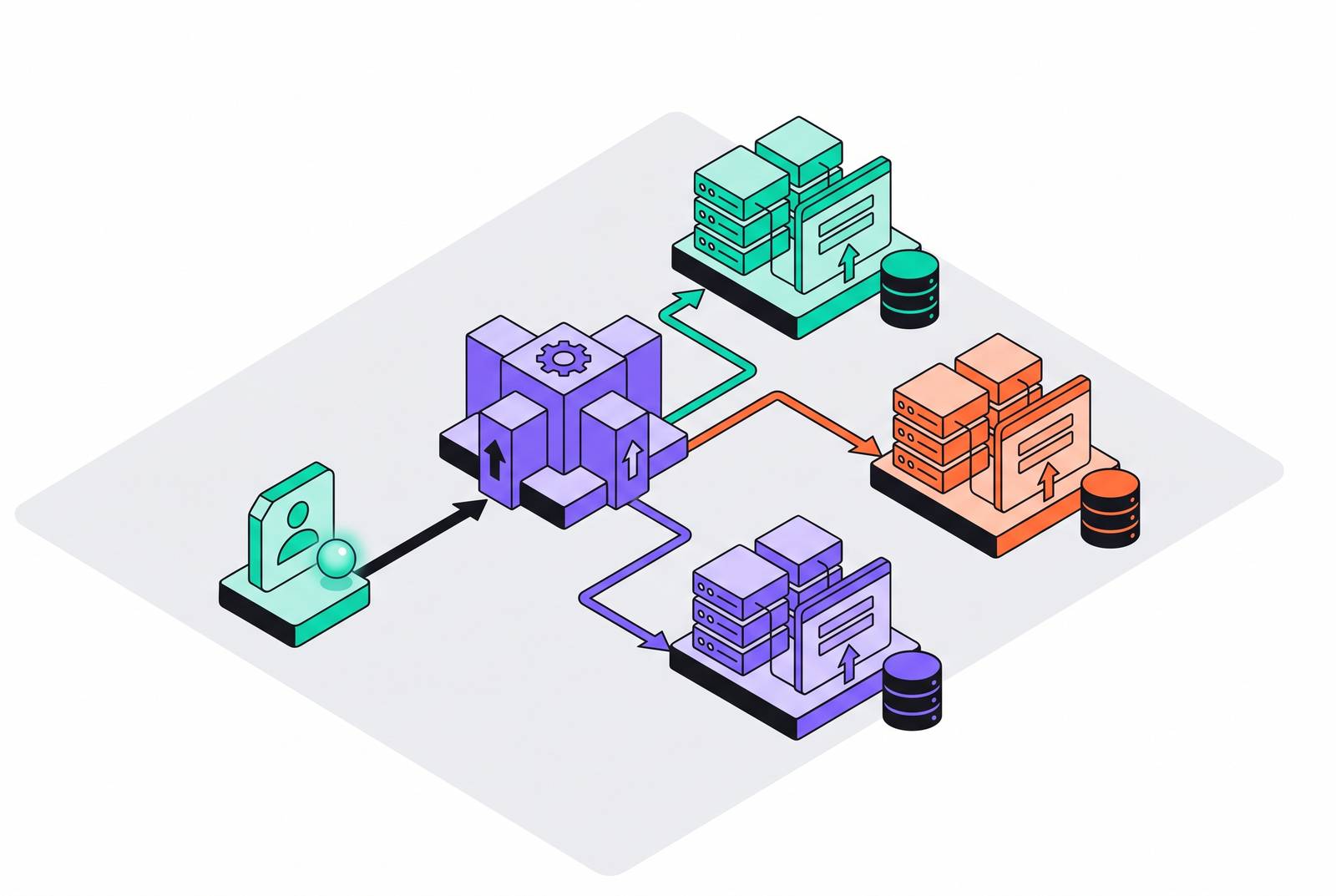
Home Realm Discovery answers one question: which identity provider handles this sign-in, before anyone types a password. Auth0, Microsoft Entra ID, WorkOS, and Kinde all have to solve it, and the split is architectural. Building login-page discovery when your app could pass a connection hint instead is the wrong default, and most teams pick it anyway because it's the path of least resistance up front. That's the mistake this piece is going to keep pointing at.
If your app already knows which connection to use, pass it as a parameter. Don't make the server guess. Everything below is really just an explanation of what happens when teams skip that one rule.
The two architectural decisions that separate every provider's approach
Two questions decide almost everything about how a platform's discovery behaves.
Where does the routing logic live? In an application-driven setup, the app already knows which connection to use (the user landed on a subdomain tied to their company, say) and passes that along when login starts. The auth platform never has to guess. In a login-page-driven setup, the user types an email or a company slug into a shared screen, and the server works out the rest. Hybrid setups split the difference: the app passes a hint, and the platform either trusts it outright or pauses to confirm.
How does that hint reach the user? Four patterns cover almost every setup out there, and picking the wrong one is what turns a login into a support ticket.
- Identifier-first: email on screen one, password or IdP redirect on screen two.
- Domain hint on the authorize URL: a protocol-level parameter (
domain_hintin OIDC,whrin WS-Fed, and protocol-specific equivalents in SAML) that skips the email screen. - Org-scoped URL: the subdomain or path already encodes the org before the user types anything. It's the pattern enterprise SaaS products have standardized on.
- User-presented list: the user picks their org or IdP off a visible menu. Cheapest to build, worst to sit through, and the option you reach for last, not first.
None of this is decoration. The axis a platform picks decides whether SSO sessions hold up, whether guest users can get in at all, whether passkeys still work, and whether a list of enterprise customers ends up sitting in a file anyone can request. Auth0 says it outright in its own guidance: if the app knows the connection, pass it as a parameter. Login-page discovery is for when the app genuinely can't know ahead of time, not a habit to fall into by default.
Auth0's identifier-first flow and how its Organizations feature layers on top
Auth0 runs identifier-first by default. A user types an email on screen one, Auth0 checks the domain against a registered enterprise connection, and redirects to that IdP on a match. No match, and it falls back to a password prompt. Simple, until you hit the 1,000-domain cap per enterprise connection, which starts to hurt fast if you're running a multi-brand or multi-subsidiary setup and trying to stuff every subsidiary's domain into one connection.
Layer Organizations on top, and the picture gets messier, not cleaner. Skip passing an org_id to /authorize, and Auth0 prompts the user to type in their organization, a second discovery step stacked directly on top of the domain check. If the app already knows the org, because it's running on an org-scoped subdomain, skip the whole thing: pass the connection name as a query parameter, and login-page discovery never fires.
Multi-IdP organizations are the case that keeps coming up. A company needs two identity providers for two divisions. Auth0's answer: enable multiple connections of different types directly on that one organization inside the tenant. Discovery routes to the org, and the org handles its own routing from there.
There's a security problem here too, and it isn't minor. Classic Universal Login and custom login templates can expose the full list of enterprise connections and their email domains to anyone who requests one specific public file, logged in or not. That's an enterprise customer list, sitting out in the open. Fix it by disabling "Enable Publishing of Enterprise Connections Information with IdP domains" in the tenant's advanced settings, or move to New Universal Login with Identifier First, which keeps routing logic server-side where nobody can scrape it. Auth0's B2B Organizations product has continued to develop, with SAML handling remaining a core part of its enterprise offering.
Microsoft Entra ID's policy-based auto-acceleration and where it breaks down
Entra's common sign-in page takes a UPN (an email-shaped username) and resolves it to the appropriate destination: the user's home tenant, a guest or consumer account, an on-premises federation server, or another federated external IdP, depending on how the tenant is configured. Three levers decide whether that resolution happens automatically or waits on the user.
A domain hint on the auth request speeds up one login attempt. An HRD policy set by an admin forces auto-acceleration for an entire app, every time. And a separate policy can tell Entra to ignore domain hints entirely for specific apps or domains, a safety valve for when auto-acceleration causes more damage than it saves. Syntax shifts by protocol, with each one carrying the hint differently depending on the federation standard in use.
Microsoft tightened this in April 2023 with the Domain Confirmation Dialog. Orgs using auto-acceleration or smartlinks started seeing a new screen mid-login, asking the user to confirm the tenant domain before proceeding, as a security check against misdirected logins. That's a direct response to phishing that abuses domain hints to redirect users somewhere they never meant to land.
The FIDO conflict is the one that actually trips people up, and it deserves sitting with. Auto-acceleration skips the Entra sign-in page completely, and that page is where managed credentials, FIDO keys included, actually live. Skip the page, and guest users get locked out in the same move. For any org migrating toward passwordless, that's a real cost, not a hypothetical one someone raises in a planning meeting and forgets about. The fix is domainHintPolicy, which forces federated users onto the Entra sign-in page no matter what domain hint shows up, buying room to roll out FIDO in phases instead of overnight.
On-premises AD FS still runs the oldest version of this problem, and it looks it. On first request, AD FS has no idea what realm the client belongs to, so it serves up a Client Realm Discovery page listing every claims provider connection available. It's manual, and it's dated. Admins can smooth it over some with Set-AdfsClaimsProviderTrust for email-suffix routing, or Set-AdfsProperties -IntranetUseLocalClaimsProvider to hide the list from intranet users, but neither one makes the page itself less clunky.
Azure AD B2C requires significant custom work to implement IdP Discovery. Without that work in place, users pick their IdP from a list by hand, every single time, which falls apart fast for any product juggling more than a couple of enterprise customers on private IdPs. The typical workaround involves building a custom IdP Discovery API and wiring it into B2C's custom policies, which run on XML configuration and demand real protocol depth to get right. Budget for that before you budget for anything else in B2C.
WorkOS's abstraction of the IdP catalog as the routing layer itself
WorkOS takes a different angle on the whole problem. Instead of giving developers tools to build routing logic, it hands over a pre-built catalog of IdPs and treats the catalog itself as the routing layer. A broad set of integrations spans SSO, Directory Sync, and HRIS, with setup guides for Okta, Entra ID, Google Workspace, JumpCloud, OneLogin, PingFederate, SailPoint, CyberArk, and others. The list a developer would otherwise have to research and maintain by hand ships as a product feature instead.
IT teams on the customer side are able to configure and manage their own SSO and SCIM connections through WorkOS's admin tooling.
Pricing runs per active connection on a tiered model that decreases at higher volumes. WorkOS closed a $100 million Series C in March 2026 at a $2 billion valuation, led by Meritech and Sapphire, with a customer list that includes OpenAI, Anthropic, xAI, Cursor, Perplexity, Vercel, and Replit. That's a heavy concentration of fast-scaling AI companies, and it tracks: per-connection pricing rewards exactly the kind of product adding enterprise customers fast that doesn't want engineering time going toward IdP maintenance.
What you give up is granular control. Entra's HRD policy API lets an admin dictate exactly how routing behaves at the server level. WorkOS trades that precision for a catalog that needs zero upkeep and lets IT admins self-serve. Right trade for most teams. Wrong one if you need to dictate routing behavior down to the policy level, in which case look at Entra instead.
Clerk's component-driven discovery and where its SSO coverage ends
Clerk supports SAML and OIDC, with pre-built connections to Okta, Entra ID, and Google Workspace covering SSO. Discovery here functions as something other than a routing policy. It's baked into the OrganizationSwitcher component, which lets a signed-in user move between every organization they belong to without re-authenticating and without data leaking across tenants.
Domain-to-org mapping runs through a feature called Verified Domains, configured at the organization level rather than as one global routing table. It restricts who can join based on email domain, applies custom branding per org, and smooths out invitation onboarding.
Directory Sync has a gap worth knowing before committing to it. SCIM setup guides currently cover Okta and Entra ID only. Google Workspace Directory Sync became natively supported on August 5, 2026, so anyone on Google before that date had to fall back on manual lifecycle management or roll a custom SCIM integration.
On March 20, 2026, a DDoS attack degraded Clerk's core services, session management, and enterprise/multi-tenant components, with service disruptions affecting core functionality for a period afterward. Anyone whose discovery flow leans on webhooks for provisioning events needs to plan around that kind of outage happening again, not assume it's a one-off. On the funding side, Clerk raised a $50 million Series C in October 2025, led by Menlo and the Menlo/Anthropic Anthology Fund, which says something about how much money is still chasing developer-facing auth as a category.
Clerk earns its keep where the priority is developer experience: pre-built React components and a small, well-maintained set of IdPs. It's the wrong pick for teams chasing the broadest possible self-service catalog. WorkOS is built for that instead.
Kinde's email-domain routing and the design choice to suppress the org selector
Kinde's flow is deliberately bare-bones. A user types an email, hits continue, and Kinde checks which IdP is registered for that domain and routes them there silently. No org selector, no extra screen.
That's not an oversight, it's the whole design. When home realm discovery is active, it overrides any org-selection step, full stop; the org selector gets bypassed rather than shown as a backup. Teams can configure home realm domains on a connection so the IdP redirect is handled silently and the login feels like an ordinary email-first flow to the end user.
One hard rule governs all of it: every home realm domain has to be unique across every connection in the environment. One domain, one IdP, no exceptions. Kinde's own documentation spells out the pattern: emails ending in enterpriseA.com route to SAML connection A, emails ending in enterpriseB.com route to Entra ID connection B, and the backend authenticates off that mapping without the user seeing any of it.
The tension is this: suppressing the org selector makes for a clean, invisible login when each domain maps to exactly one IdP, but it leaves nothing for a user whose domain needs to reach more than one org, or who needs a second login into a different tenant. Ask this before picking Kinde, not after: does any customer's domain need to split across two IdPs? If the answer is yes, this model fights you the whole way.
The edge cases that cut across every implementation
A handful of problems show up no matter which platform is running the show.
IdP list exposure comes up more than it should. Auth0's Classic Universal Login, AD FS's claims provider discovery page, and any setup that serves a public domain-to-connection map can all leak which enterprise customers a product has, just from someone poking the right URL. The fix is the same everywhere: push routing logic server-side (Auth0's New Universal Login does this already) or gate the lookup endpoint behind rate limits and authentication.
Auto-acceleration and passkeys don't get along, and Entra says so in its own documentation. Skip the sign-in page to accelerate a user straight to their IdP, and FIDO credentials go with it, since that page is the only place managed credentials get offered. The same structural problem shows up anywhere a domain hint forces a redirect before the platform gets a chance to offer a passkey. Entra's answer is domainHintPolicy. Every other platform needs an equivalent lever, and not all of them have built one yet.
Guest and cross-tenant users break auto-acceleration and strict domain routing alike, since their email domain doesn't match their actual authentication home. Every platform here needs a fallback path for exactly this case, and it's usually the thing that gets tested last and breaks first once real customers show up.
One-domain-one-IdP assumptions run through almost every implementation, and they all crack the same way eventually. Kinde makes the constraint explicit with its uniqueness rule. Auth0's answer, a dedicated sub-tenant per organization, and Entra's policy overrides are just different responses to the same fact underneath: sooner or later a domain needs to route to more than one IdP, and the platform needs an answer ready before that day shows up, not after.
Then there's the B2C gap pattern. Azure AD B2C shipping without built-in IdP Discovery is the clearest case of a platform that didn't design discovery in from day one and had to bolt it on afterward through custom policy XML. If a platform's discovery story feels like an afterthought during evaluation, it probably was one, and it'll keep feeling that way once it's running in production.